Cross-Border B2B Distributor — LINE Bot Order Taking + Multi-Region Pricing
An order system for a B2B distributor's sales team across four regions (Taiwan / Mainland China / Hong Kong / Malaysia): LINE Bot text-command ordering + natural-language order parsing + fuzzy-match error tolerance + two-layer permissions (back-office UI × LINE) + OCR-assisted handwritten orders + special-price approval workflow. 20 back-office modules cover the full chain: products, contracts, prepaid balances, payments, statistics.
- Client
- Cellcore
- Industry
- Cross-border B2B
- Service
- AI ERP
- Led by
- Johnny Yang
What we delivered.
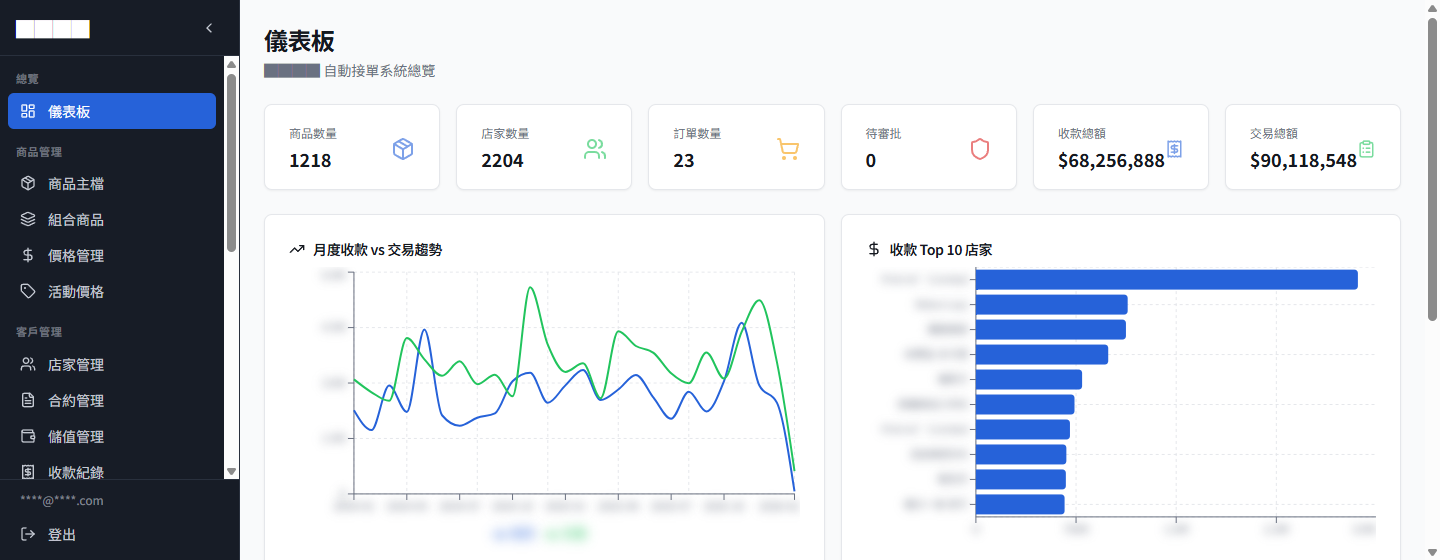
- Products / stores
- 1,218 products, 2,204 stores
- Regions supported
- 4 (Taiwan / Mainland China / Hong Kong / Malaysia)
- Ordering methods
- LINE text, photos, handwritten order recognition
- Back-office modules
- 20 (from products to payment statistics)
01What the client's business actually looks like
The client is a B2B distributor operating across four regions (Taiwan / Mainland China / Hong Kong / Malaysia). The catalog is large (precision products at medical aesthetics device grade), there are close to two thousand downstream stores, and each store may be tied to multiple contracts with completely different pricing.
The sales team is mostly out in the field. Their terminal is LINE, not an ERP back office.
Core pain points (copied straight from the PRD):
- Lots of products and bundles; reps don't always remember the item numbers
- One store may have several contracts, each with different pricing and a different billing identity
- Promotional bundles change often; without version history, historical statistics become wrong
- Orders still get changed after they're placed — contract, items, everything — and handling that manually is expensive
- Reps may type store names / product names with typos or abbreviations; the system needs some error tolerance
- Handwritten order recognition can only assist; a human still has to check it
- Must support separate price databases for Taiwan / Mainland China / Hong Kong / Malaysia
02Why we don't name this client
In cross-border B2B distribution, contracts and pricing are commercially sensitive. Naming the brand would expose the distribution relationships directly. The client and Brightstream agreed: publicly we only say "cross-border B2B distributor," never the actual company name.
What we're disclosing is the know-how, not the client's identity.
03What we delivered
1. LINE Bot as the main ordering interface (not the ERP)
A rep places an order in LINE with one sentence:
沛牧美學會館 合約 A,H3 水光微針筆 5 支 9 折
What the system does:
- Store matching: "沛牧美學會館" (the store name) is fuzzy-matched to a store ID (it recognizes abbreviations too)
- Contract parsing: "合約 A" (Contract A) maps to the contract code + that contract's pricing (including the special 10%-off condition)
- Product recognition: "H3 水光微針筆" (H3 hydra microneedle pen) is fuzzy-matched against the product database to find OT131; "5 支" maps to quantity 5
- Special-price check: if "9 折" (10% off) falls below the contract price → the special-price approval workflow triggers automatically
- Order creation: generates an order number → replies with a confirmation message + order buttons (tap to edit)
The rep doesn't open the back office, doesn't memorize item numbers, doesn't look up prices. They type the way they talk; the system translates.
2. Two-layer permission system (back-office UI × LINE)
This client's permission model has two independent axes:
- Back-office UI permissions: which role can view / edit / delete which module (sales / manager / PM / system admin)
- LINE permissions: which LINE account can place orders, check prices, or see company-wide orders
The two axes are configured independently but map to the same user. For example: a PM can edit product data but can't place orders; a rep can order in LINE but can't edit products; a manager can approve special prices but can't change contract structure.
The back office has a "role editor" for editing this two-layer permission matrix visually. Every module × action is stored as JSON in the backend_permissions and line_permissions columns of the custom_roles table.
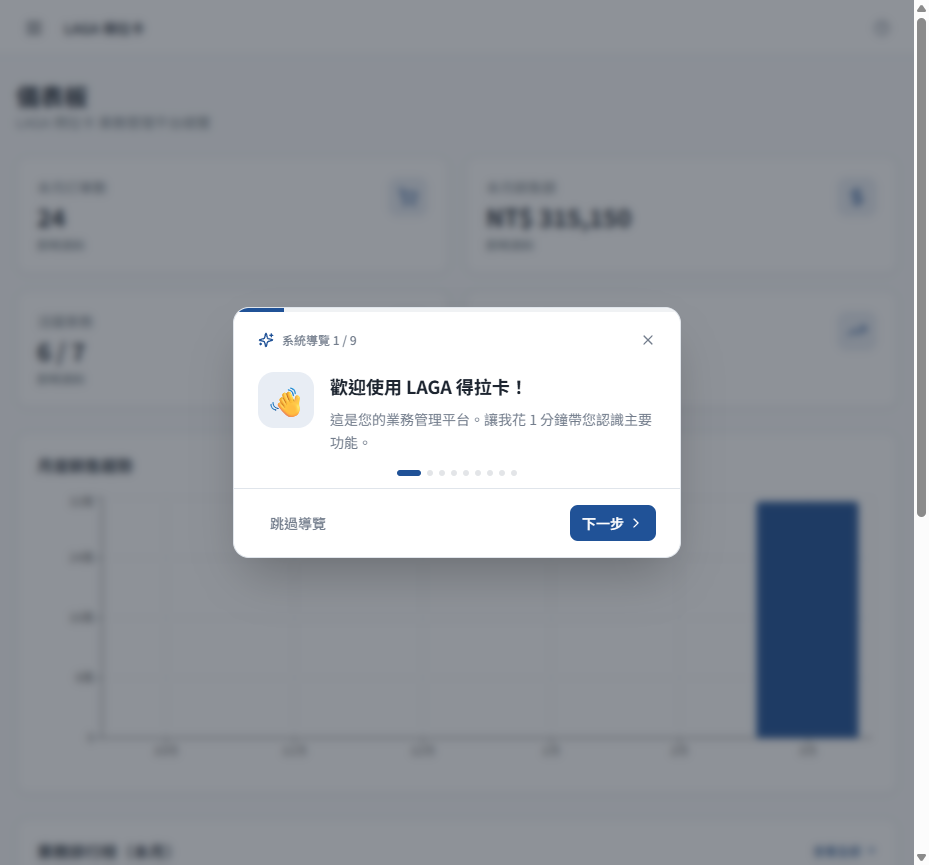
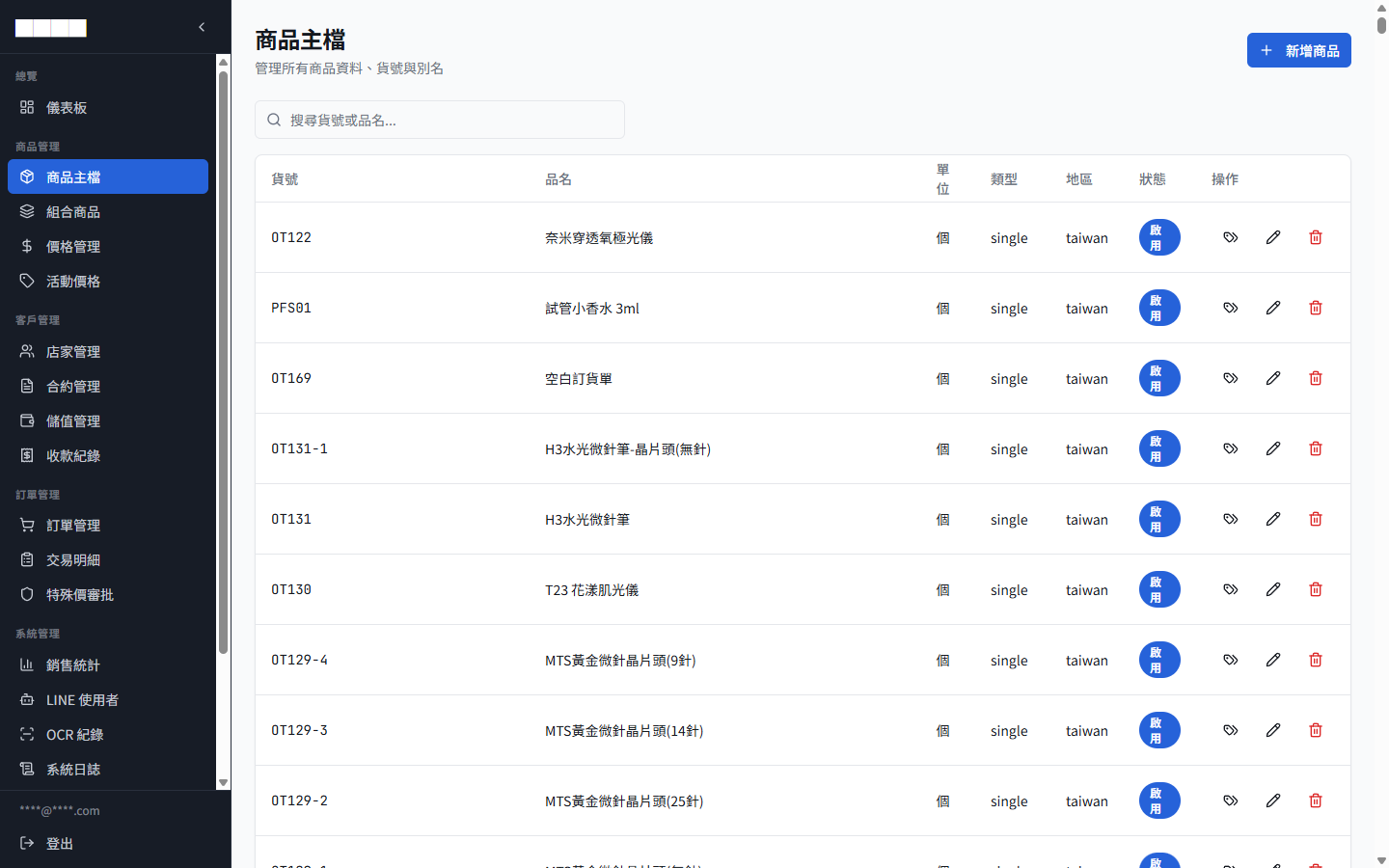
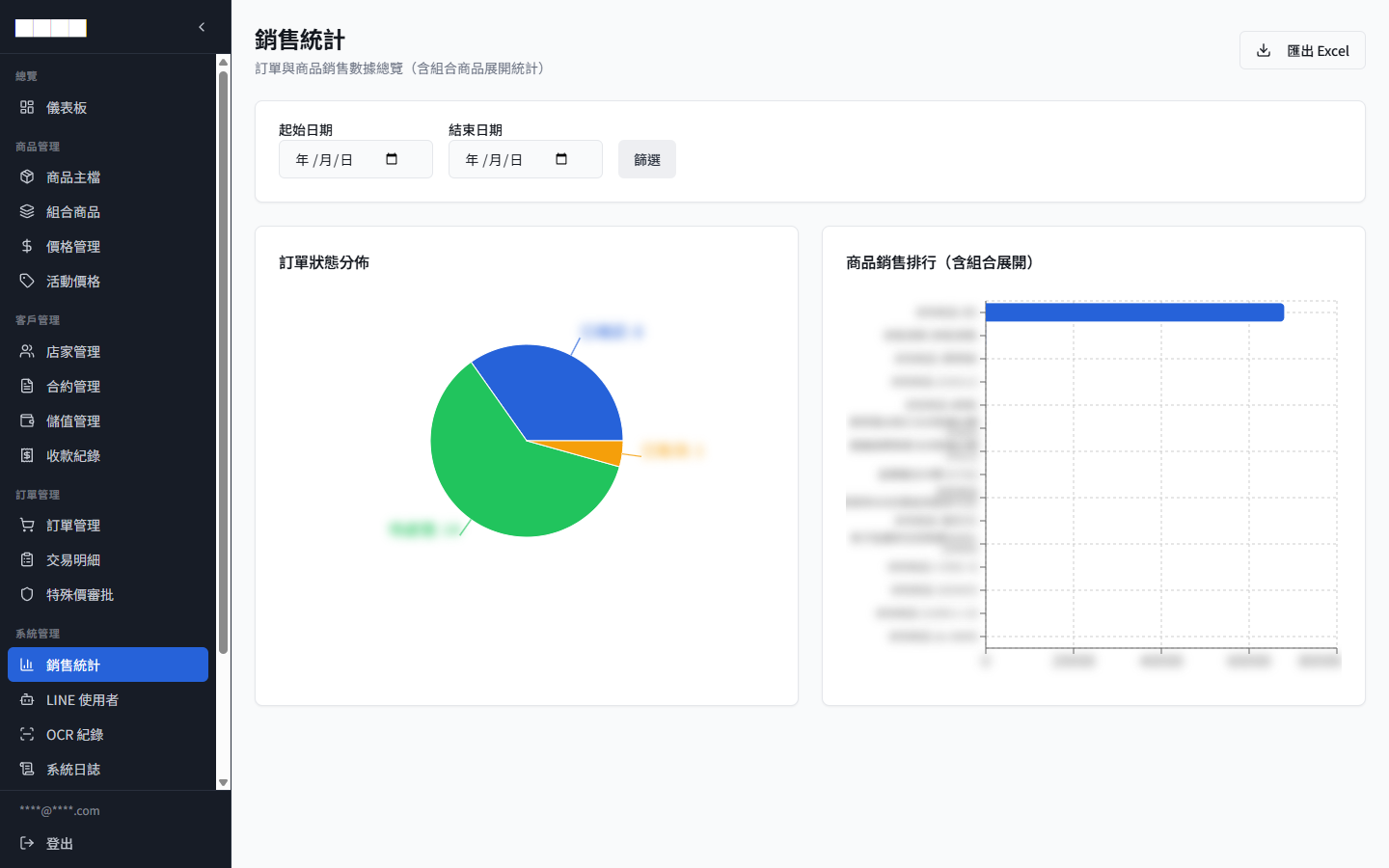
3. 20 back-office modules (the full chain)
總覽         商品管理         客戶管理      訂單管理         系統管理
├ 儀表板    ├ 商品主檔       ├ 店家管理   ├ 訂單管理      ├ 銷售統計
           ├ 組合商品       ├ 合約管理   ├ 交易明細      ├ LINE 使用者
           ├ 價格管理       ├ 儲值管理   ├ 特殊價審批    ├ OCR 紀錄
           └ 活動價格       └ 收款紀錄                  ├ 系統日誌
                                                       ├ 資料匯入
                                                       ├ 系統設定
                                                       └ 帳號管理
Each module maps to one of the business chains above — product setup → contract binding → pricing applied → order created → payment → statistics, closing the loop. No redundant modules.
4. Multi-region pricing
Every SKU in the product master has a 地區 (region) field (taiwan / china / hk / my), so the same product can carry different prices / different contracts in different regions. Switching region in the sidebar switches the view of the entire database.
For "cross-border B2B" this is a basic requirement — but most off-the-shelf ERP templates don't support this kind of multi-region structure.
5. OCR-assisted handwritten orders
Some of the client's old-school reps still use paper order forms. We built an OCR records module:
- Rep photographs the order → uploads → OCR recognizes it
- The result is logged in six columns: time / user / confidence / status / recognized content / actions
- Anything below the confidence threshold goes automatically into a manual review queue
- Recognized content can be turned straight into a draft order; the rep confirms and submits
OCR doesn't replace the rep. It saves the rep 80% of the typing time. That framing was ours — to avoid the empty promise of "fully automated AI."
6. Google Sheet as the "maintainable database"
The PM and the owner know Google Sheets far better than any admin back office. So we designed it this way:
- Bulk imports of products / contracts / prices read data straight from Sheets
- Each Sheet maps to one import edge function (
import-customers/import-products/import-payments/import-transactions) - To change data, edit the Sheet first → click import → the back office updates automatically
This is far more natural than forcing the PM to learn an admin UI.
7. Version history for promotional bundles
Promotional bundles (product A + product B + product C at a package price) change. The usual approach is to edit the existing bundle — but that makes historical order statistics wrong (what people bought back then isn't what the bundle contains now).
What we did is version snapshots: every bundle change → a new version number; historical orders always point to the version that was ordered at the time; statistics can be viewed "by SKU" or "by bundle version."
04How we worked
PRD v1.0 was written by the client (rare — few clients have real PM skills). Once we had it, here's what we did:
- Full mapping audit: mapped every PRD requirement to schema / API / back-office module, flagging what already existed, what was missing, and what was over-engineering
- Phased delivery: the core chain (order → payment → statistics) shipped first; OCR / multi-region belonged to the advanced phase
- Permissions designed early: with this client's multiple roles + multiple regions, messy permissions would mean the whole system can't go live — so we locked down the two-layer permissions at the schema design stage
- Repeated iteration on LINE Bot error tolerance / NLP: the parse-order edge function is the single most critical file in this project. How reps actually talk is very far from the prompts engineers write. After we got the client's real conversation logs, we iterated through multiple rounds
05Why this case is worth writing up
Taiwan has a huge number of B2B distributors where "the reps are out in the field, the clients are on LINE, and the ERP back office is so complicated nobody uses it" — food importers, medical aesthetics device distributors, supplement distributors, cosmetics distributors, wine and spirits importers. This vertical has at least several hundred companies with the same shape.
This stack — "LINE Bot first, back office second, Sheets as the maintenance interface, two-layer permissions, multi-region, OCR assist" — transfers directly to the next cross-border distribution client. For us, it's accumulated vertical know-how.
Our sales reps are out in the field, and it's a fact they can't remember every item number. But when a client is waiting to place an order, "let me check back at the office" isn't an option. Brightstream moved the whole thing onto a LINE Bot. A rep types in plain speech, "Store XX, Contract A, that H3 microneedle pen, 5 units, special 10% off," and the system gets it. That's the way we want to take orders. Not "teach the reps to use the ERP."